
Your server depends on verification, moderation, and support bots.
Know the moment one goes offline so staff can respond before players notice.
Add Upbot to your Discord server, and it automatically detects the bots your community depends on. Get alerts the moment one goes offline.
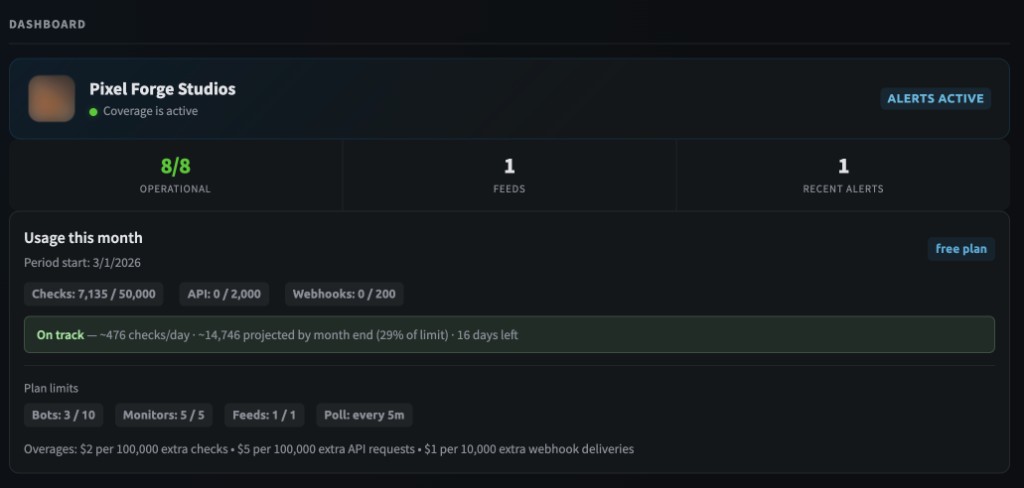
Start with your Discord bots. Add more when you need it.
Upbot scans your server and finds the bots already there. Add them to monitoring in one click. Use /status to check from Discord.
Discord channel alerts for everyone. Email and webhook alerts on paid plans. Your team hears about outages before your members do.
Monitor HTTP endpoints, health checks, and landing pages. See response times, status codes, and downtime history.
Track Roblox universe availability by ID. Know when the game servers your community plays on go down.
Watch third-party status pages (Atlassian Statuspage, status.io) and RSS/Atom feeds for incidents that affect your stack.
Real screenshots from the Upbot dashboard.
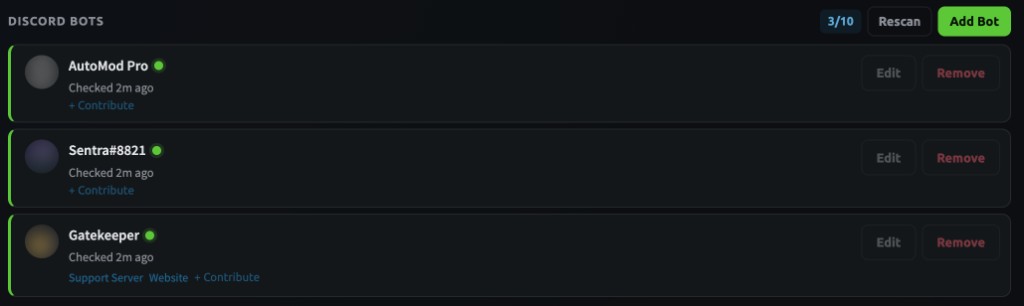
Upbot detects the bots in your server automatically. See their status at a glance, with one-click actions to edit or remove.
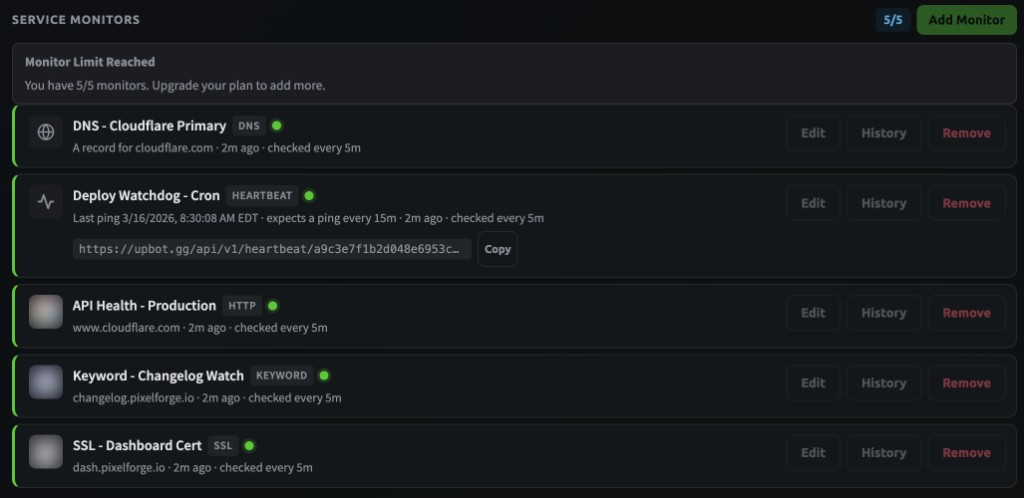
DNS records, heartbeat crons, HTTP endpoints, keyword checks, and SSL certificates — all in one view with history and edit controls.
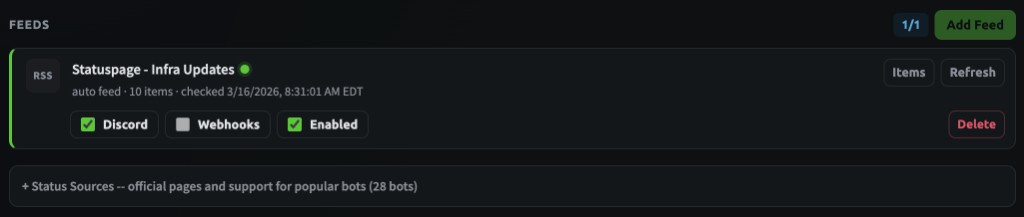
Subscribe to RSS and Atom feeds from vendor status pages. Route updates to Discord channels or external webhooks.
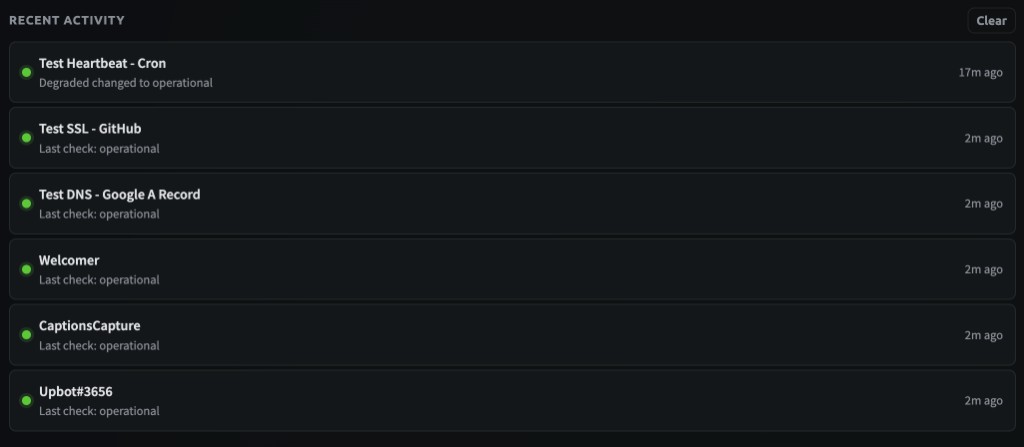
Every status change is recorded. See at a glance what changed, when, and whether things recovered.
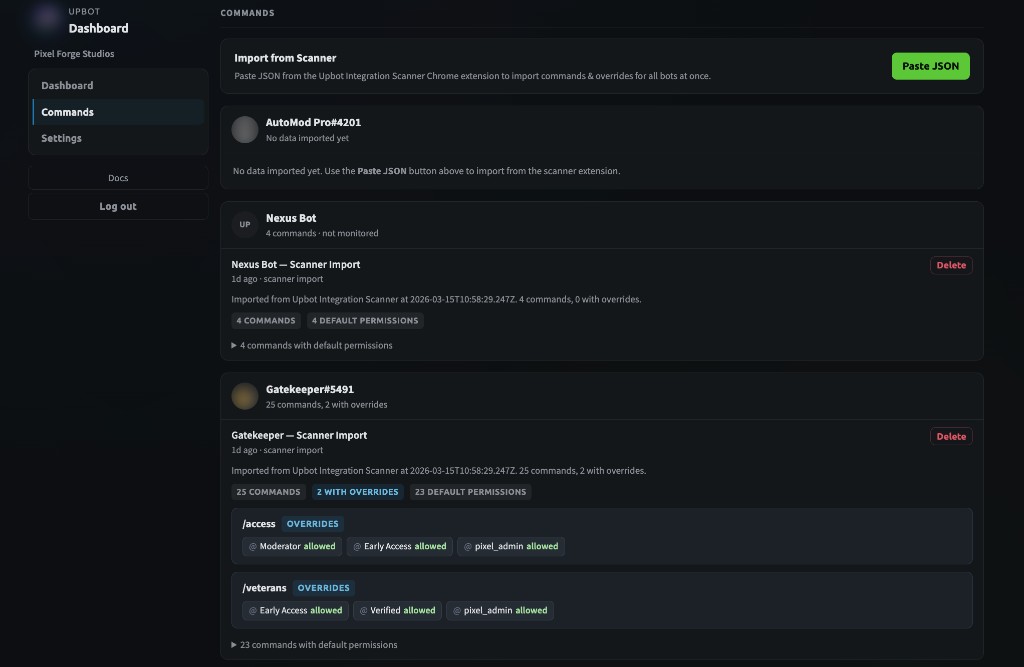
Import bot command permissions from Discord with the Chrome extension. See which commands have custom role overrides across all your bots.
Pick the server you manage. Upbot only shows servers where you have the right permissions.
Add the bot to your server and finish setup. Upbot detects the other bots already living there.
Pull in your detected bots, then optionally add websites, APIs, Roblox servers, or vendor status pages.
Know the moment one goes offline so staff can respond before players notice.
Monitor the bots members actually interact with and alert your staff channel.
Add website, API, and health-check monitors so uptime alerts land where your team already works.
Start free. Upgrade when you need more.
For personal projects
7-day free trial on annual
7-day free trial on annual
For large communities
Usage beyond your plan's included limits is billed in small blocks. Automatic caps prevent surprise bills. See details
The bots in your Discord server (automatically detected), plus optional HTTP endpoints, Roblox universe servers, Atlassian Statuspages, and RSS/Atom feeds.
Once Upbot is in your server, it reads the member list and identifies which accounts are bots. You choose which ones to add to monitoring. No code changes needed on your bots.
No. Upbot is fully hosted. Add the bot to your Discord server, configure through the dashboard, and you're done.
No. When the 7-day trial ends, it expires. You are not charged unless you actively subscribe. No surprise billing.
You downgrade to Free. Your data and configuration stay intact — nothing is deleted. Monitors over the Free limit are paused but saved. Pick up where you left off anytime.
Never. No ads, no analytics, no data sharing. Read our Privacy Policy.